background-hero
Landing page blocks
This background hero (type: background) places content over a full-width background image. Explore the split hero and other landing blocks below.
split-hero
Split hero block
This split hero uses type: "split-hero" in the blocks list. It places an image beside the lead and actions, with its heading above both. background: "primary" selects the matching theme text and link colours.

standard
How to use landing page blocks
Create a page with layout: landing-page, then add a hero and the ordered blocks the page needs.
Each item in blocks needs a type: achievements, carousel, standard, page-cards, partner-logos, split-hero, or background-hero. The blocks render in the order they appear in the YAML blocks list, from top to bottom.
Every landing block accepts background: "primary" or "secondary". Omit it for the normal page background. The standard type handles text, images, actions, and cards on any of these backgrounds.
The only block most landing pages should always have is hero. Everything in blocks is optional and can be added or reordered as the project grows.
achievements
Achievements block
Use achievements for project metrics, major outputs, milestones, or key facts. eyebrow, lead, and separator are optional. Each item can use a value, an icon, or an image.
Research outputs
Use value for numbers, dates, or short high-impact facts.
Advisory groups
Use icon for a compact letter, symbol, or short visual marker.

Field sites
Use image and image_alt when a small picture is more meaningful.
carousel
Carousel block
Use the carousel for fieldwork, project locations, lab work, community activities, or visual summaries. The carousel eyebrow, title, lead, separator, and slide caption fields are optional.

Slide captions are optional.

Add as many slides as the page needs.

Always include useful image alt text.
standard
Standard text section
This is the default landing section style. Use it for ordinary explanatory content.
Required: type: "standard" and title.
Optional: id, eyebrow, content, link_text, link_url, actions, image, image_alt, image_fit, image_link, image_link_label, image_position, cards, background, and separator.
standard
Section with image
Add image to place media beside the text. The image sits on the right by default.
Optional: set image_position: "left" to reverse the layout.

standard
Complete, clickable image
Set image_fit: "contain" to show the complete image at its natural proportions. This is useful for maps, diagrams and logos.
image_link makes the image clickable. Use image_link_label to describe the link’s purpose; the default is “View full-size image”.
standard
Image on the left
This section uses image_position: "left". The layout stacks cleanly on small screens.

standard
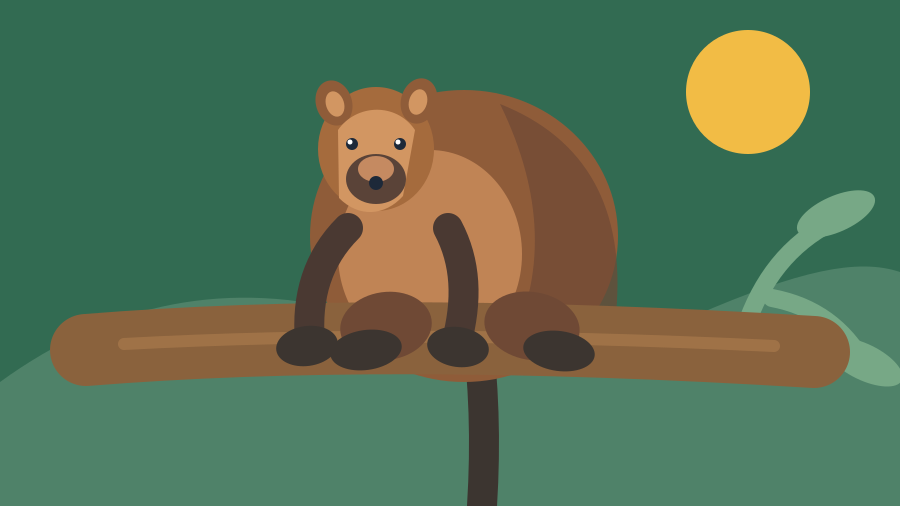
Standard block on secondary background
Use type: "standard" with background: "secondary" for a full-width background band. It uses secondary_color from _config.yml.
Good for project summaries, research focus areas, or sections that need gentle emphasis.
standard
Standard block on primary background
Use type: "standard" with background: "primary" for a strong full-width band using primary_color.
Good for impacts, calls to action, key findings, or short statements that should stand apart.
standard
Card grid section

Species profile
Card with image
Cards can include an optional image, text, and link.

Card without link
Leave out url and link_text when the card is informational only.
standard
Standard card grid on secondary background
Markdown content blocks
See how Markdown content blocks present text, images, galleries, and cards.
HTML and Markdown content blocks
Explore content blocks that combine HTML wrappers with Markdown.
Configured colours
Review the theme colours used for text, links, panels, and alerts.
standard
Section with action buttons
Add up to two optional actions to any landing section. The first action uses the primary colour and the second uses the surface colour.
page-cards
Page cards block, three per row
These cards are collected from the animals folder and displayed in page order. The secondary background fills the browser width, while each card uses the configured surface colours.
Southern cassowary
A large rainforest bird that spreads seeds through the Wet Tropics and depends on connected habitat.
Read species profile
Lumholtz's tree-kangaroo
An arboreal marsupial of the Wet Tropics rainforest canopy.
Read species profile
Estuarine crocodile
A powerful predator found in rivers, estuaries, wetlands, and coastal waters across northern Australia.
Read species profile
Green turtle
A marine turtle associated with seagrass meadows, coral reef habitats, and sandy nesting beaches.
Read species profilepage-cards
Page cards block, one per row
With columns: 1, images sit beside their summaries on desktop and stack above them on smaller screens. Omit background to use the normal page background.
Southern cassowary
A large rainforest bird that spreads seeds through the Wet Tropics and depends on connected habitat.
Open full profile
Lumholtz's tree-kangaroo
An arboreal marsupial of the Wet Tropics rainforest canopy.
Open full profile
Estuarine crocodile
A powerful predator found in rivers, estuaries, wetlands, and coastal waters across northern Australia.
Open full profile
Green turtle
A marine turtle associated with seagrass meadows, coral reef habitats, and sandy nesting beaches.
Open full profilestandard
Table on primary background
The table uses the primary background and matching text colours. Light backgrounds receive subtle alternating row stripes; dark backgrounds remain unshaded. Borders separate the rows.
| Activity | Habitat | Purpose |
|---|---|---|
| Wildlife survey | Rainforest | Record species observations. |
| Water sampling | Estuary | Monitor water quality. |
| Nest monitoring | Coast | Track nesting success. |
| Habitat mapping | Reef | Identify important habitat areas. |
standard
Table on standard background
No background colour is specified for this block. The table body uses the standard page background and matching text colours, with subtle alternating stripes when that background is light.
| Activity | Habitat | Purpose |
|---|---|---|
| Wildlife survey | Rainforest | Record species observations. |
| Water sampling | Estuary | Monitor water quality. |
| Nest monitoring | Coast | Track nesting success. |
| Habitat mapping | Reef | Identify important habitat areas. |
partner-logos
Partner logos with background: primary
White reverse mono logos have transparent backgrounds, so the primary colour shows through their negative spaces.
Use type: "partner-logos" for funders, collaborators, institutions, and participating groups. The title is optional. Place the block wherever it belongs in blocks.


partner-logos
Partners on a secondary background
Use type: "partner-logos" for funders, collaborators, institutions, and participating groups. This example displays a heading and uses a secondary background with up to three logos per row. Place the block wherever it belongs in blocks.